Excel Works—Until It Doesn't
For many crewing agencies and shipping companies, Excel or Google Sheets is where crew management begins.
The reason is simple: spreadsheets are familiar, flexible, and readily available. A startup crewing agency can quickly build a database of seafarers, track certificates, and maintain crew lists without investing in specialized software.
At the early stages, this approach works reasonably well.
The problem appears when the business grows.
Once your database reaches 50–100 seafarers, multiple vessels, and dozens of active crew changes per month, spreadsheets stop being a convenient solution and become an operational risk. What was once a simple list evolves into a complex network of certificates, endorsements, visas, vessel requirements, planning schedules, and compliance obligations.
At that point, Excel is no longer just a tool—it becomes a bottleneck.
The cost is not only measured in administrative hours. It appears in delayed crew changes, compliance issues, missed opportunities, and preventable human errors.
The Hidden Costs of Managing Crews in Excel
1. The Expiration Tracking Nightmare
Every crewing manager understands the importance of valid documentation.
STCW certificates, medical examinations, passports, visas, flag state endorsements, tanker familiarization courses, and countless other documents all have expiration dates that must be monitored continuously.
Excel can store expiration dates.
What it cannot do is actively manage compliance.
Without dedicated automation, someone must manually review spreadsheets, apply filters, create formulas, and constantly verify document validity. As the number of seafarers grows, this process becomes increasingly difficult to maintain.
The result is predictable:
Expired certificates discovered during crew planning
Last-minute crew replacements
Delayed embarkations
Increased administrative workload
Potential compliance violations
Even a single overlooked expiration can create operational disruptions that cost far more than the software intended to prevent them.
2. Document Compliance and Visa Matching Becomes Manual Work
Modern crew planning is not simply about finding an available Chief Engineer or Master.
Each vessel may require highly specific qualifications:
In a spreadsheet environment, matching candidates against these requirements becomes a manual investigation process.
Managers often search across multiple tabs, files, folders, and email conversations to determine whether a seafarer meets the necessary criteria.
As vacancies increase, this process consumes valuable time that could otherwise be spent recruiting, planning, and communicating with crews.
The challenge becomes even greater when several managers are working simultaneously and applying different methods of tracking qualifications.
3. Data Fragmentation Creates Operational Blind Spots
Most crewing agencies eventually encounter the same problem:
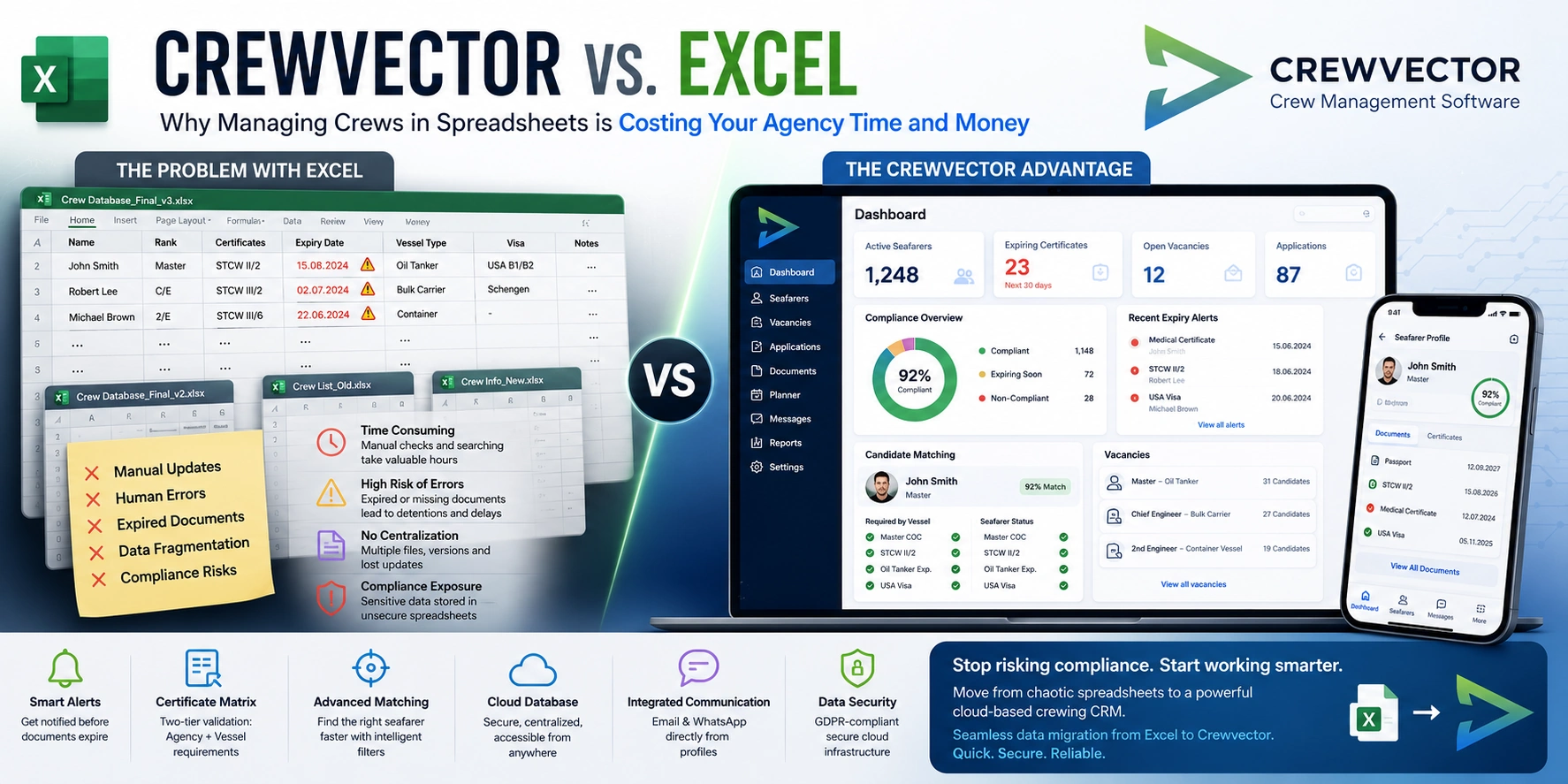
"Crew Database_Final.xlsx"
"Crew Database_Final_v2.xlsx"
"Crew Database_Updated_Final_Approved.xlsx"
Multiple versions of the same spreadsheet quickly lead to conflicting information.
One manager updates a certificate.
Another updates contact information.
A third manager adds voyage experience.
Soon nobody is completely certain which file contains the latest data.
This fragmentation creates several risks:
Duplicate work
Missing updates
Incorrect crew assignments
Loss of historical information
Reduced operational visibility
There is also an important compliance concern.
Seafarer profiles contain sensitive personal information, including passports, medical records, certificates, contact details, and employment history. Storing such information in locally shared spreadsheets or unsecured files can create unnecessary GDPR exposure and data security risks.
4. The Matrix Failure: Where Excel Falls Short
This is where spreadsheets typically reach their practical limit.
Many agencies maintain document matrices that define mandatory requirements for different vessel types and clients.
For example, a seafarer may possess:
On paper, everything appears compliant.
However, the assigned vessel may additionally require:
Oil Tanker Familiarization
Specific flag state endorsement
Company-approved safety training
Client-specific certification
Excel cannot intelligently validate these layered requirements.
Managers must manually compare seafarer qualifications against vessel requirements and verify each document individually.
As fleets expand and requirements evolve, maintaining these matrices becomes increasingly difficult.
The issue is not whether mistakes happen.
The issue is that spreadsheets provide no reliable mechanism to prevent them.
Why Dedicated Crewing Software Changes the Equation
A modern crewing operation requires more than data storage.
It requires an active compliance and planning system that continuously evaluates crew readiness and operational requirements.
This is where Crewvector was designed to solve the limitations of spreadsheets.
Automated Seafarer Scoring and Compliance Validation
Instead of manually reviewing dozens of profiles, Crewvector automatically evaluates candidates against vessel requirements.
The system can screen seafarers based on:
This allows managers to identify suitable candidates faster while reducing the risk of overlooking critical requirements.
The result is a more structured and repeatable planning process.
Smart Notifications Before Problems Occur
Compliance management should be proactive rather than reactive.
Crewvector continuously monitors document validity and provides alerts before certificates, medicals, endorsements, or other critical documents expire.
Instead of discovering compliance gaps during crew assignment, managers receive advance visibility and can take corrective action early.
This significantly reduces operational disruption and administrative firefighting.
A Centralized Cloud Database and CRM
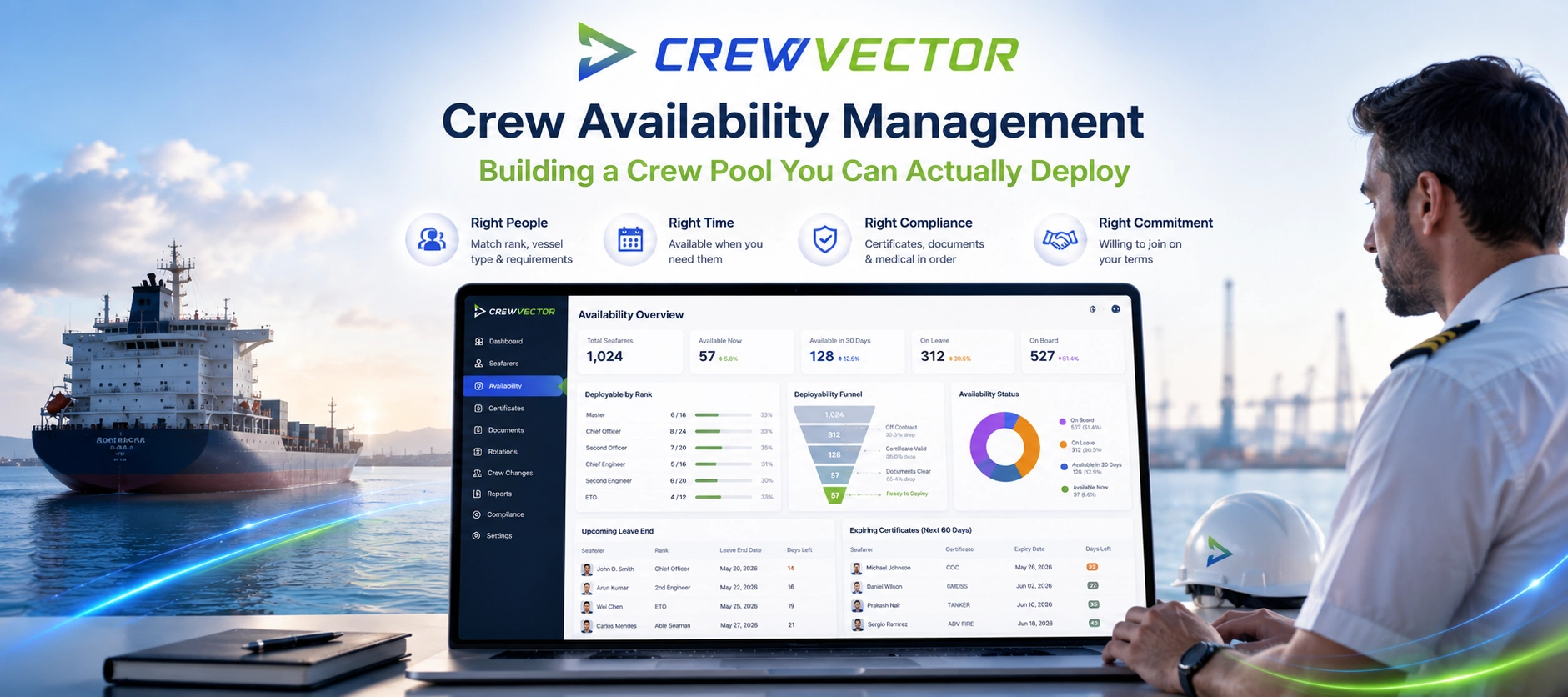
Rather than relying on disconnected spreadsheets and email chains, Crewvector provides a centralized cloud-based database that serves as a single source of truth.
Every authorized team member accesses the same information in real time.
The platform combines:
Because information is centralized, teams spend less time searching for data and more time making operational decisions.
Integrated Vacancy Distribution and Candidate Shortlisting
Recruitment and planning are closely connected.
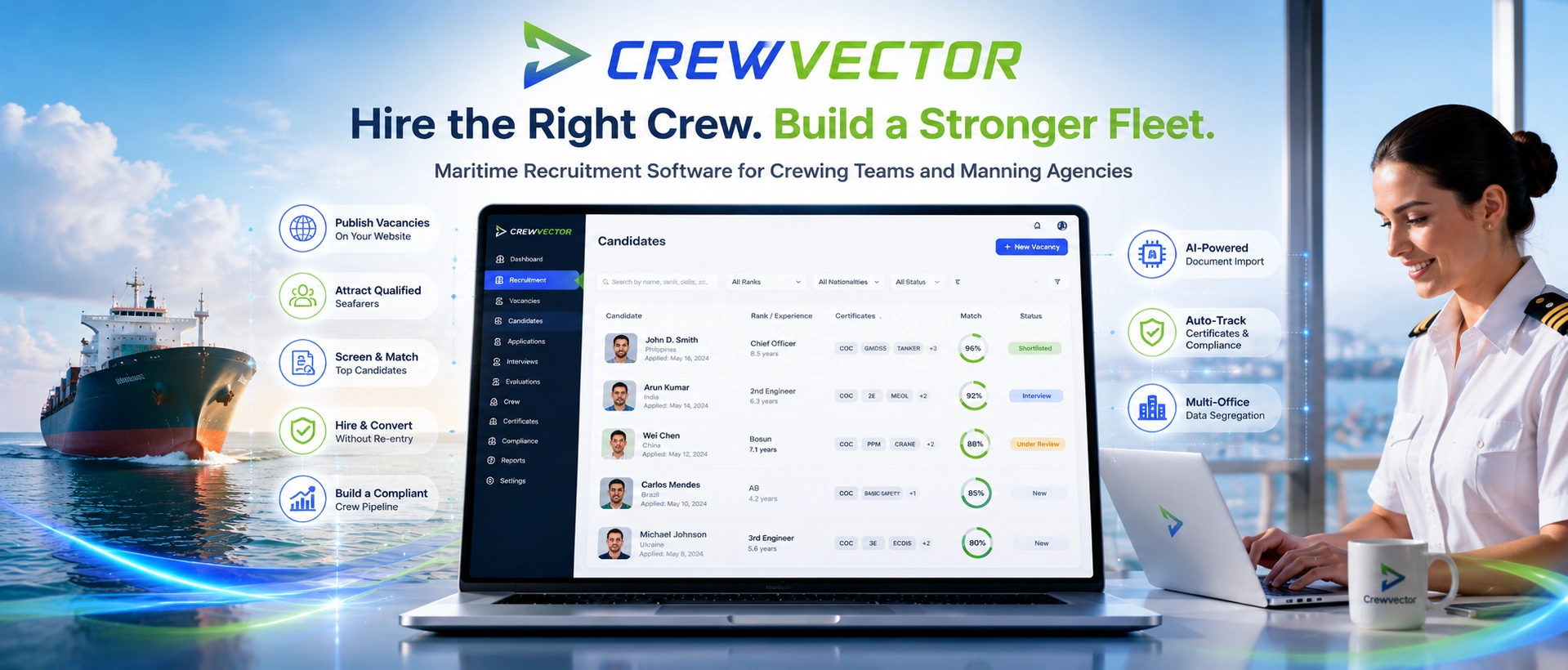
Crewvector enables agencies to publish vacancies, filter candidates by vessel requirements, and create structured shortlists directly within the platform.
Instead of manually reviewing spreadsheets and email applications, managers can work with standardized candidate data and automated filtering criteria.
This becomes particularly valuable when managing large candidate pools across multiple vessel types and clients.
Standardized Designations and Crew Structure
One of the most common spreadsheet issues is inconsistent data entry.
A Chief Engineer might appear as:
C/E
Chief Eng.
Chief Engineer
Ch. Engineer
Over time, these inconsistencies complicate reporting, filtering, and searching.
Crewvector addresses this through standardized maritime designations and structured rank catalogs, ensuring consistent data across the organization.
This improves reporting accuracy and simplifies candidate matching.
The Two-Tier Certificate Matrix Advantage
One of Crewvector's most valuable capabilities is its dual-level compliance validation engine.
Instead of relying on manual document checks, the system validates seafarers against two independent layers of requirements:
Level 1: Agency Requirements
These are the standard compliance requirements applied across the agency's operations, including mandatory certificates, medical documents, and core qualifications.
Level 2: Vessel-Specific Requirements
Each vessel can maintain its own matrix with additional requirements based on:
Vessel type
Flag administration
Charterer requirements
Client requirements
Specialized operations
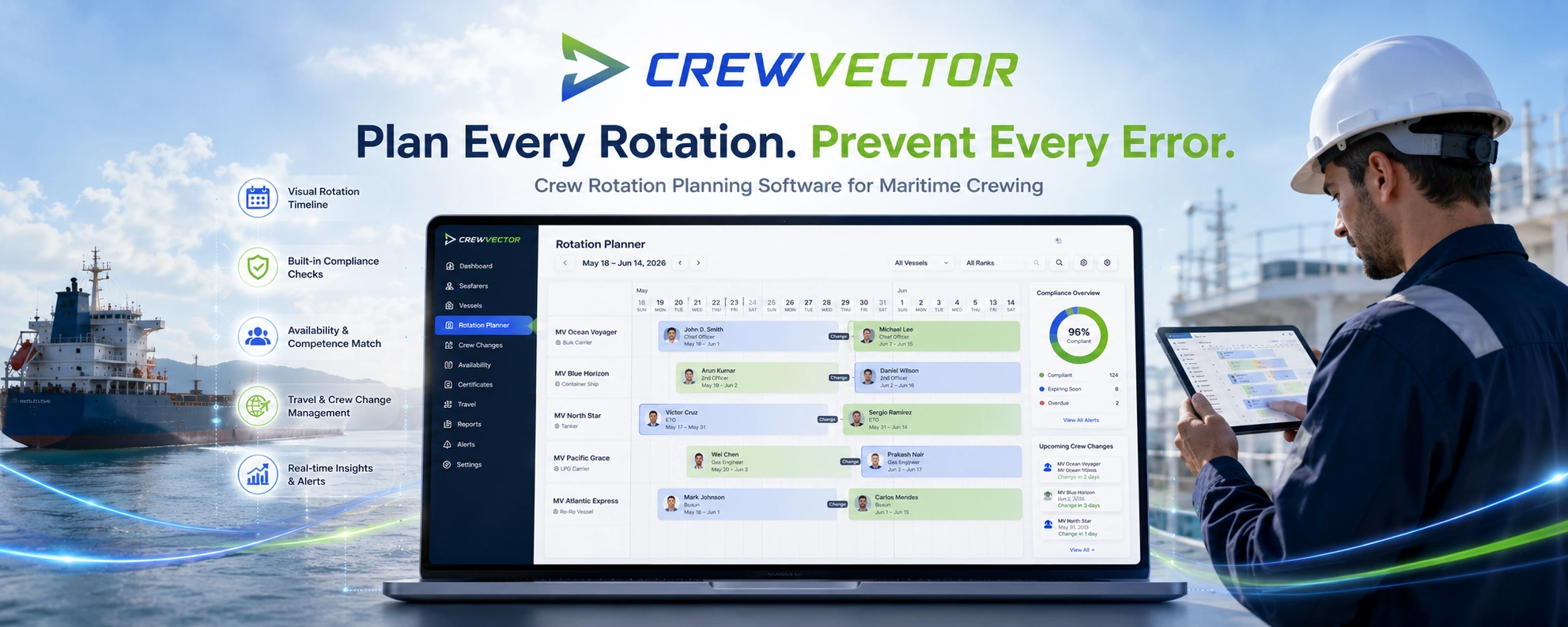
During voyage planning, Crewvector automatically evaluates both levels simultaneously.
If a document is missing, expired, or non-compliant, the system visually flags the issue directly within the seafarer's profile and planning workflow.
Managers immediately understand why a candidate may not qualify for a particular assignment.
This dramatically reduces the risk of assigning non-compliant crew members and provides greater confidence during planning.
Excel vs. Crewvector: Side-by-Side Comparison
| Criteria |
Excel / Google Sheets |
Crewvector |
| Data Accuracy |
Dependent on manual updates and formulas |
Centralized real-time database with structured validation |
| Document Expiry Tracking |
Manual monitoring and filtering |
Automated alerts and notifications |
| Search & Matching Speed |
Manual searching across files and tabs |
Automated candidate filtering and compliance screening |
| GDPR Compliance |
Higher risk with shared files and uncontrolled copies |
Secure cloud-based access control and centralized data management |
| Team Collaboration |
Multiple versions and synchronization issues |
Single source of truth accessible by authorized users |
Supporting Modern Maritime Compliance
The maritime industry is becoming increasingly regulated.
Frameworks such as FuelEU Maritime, evolving IMO requirements, and growing charterer expectations are placing greater pressure on operators to optimize planning and reduce operational inefficiencies.
Crew changes, document readiness, and crew availability all directly influence operational performance.
When crew planning relies on fragmented spreadsheets, delays and compliance risks become more difficult to avoid.
Dedicated crewing software helps agencies maintain visibility, improve readiness, and support more efficient vessel operations.
Conclusion
Excel remains an excellent tool for calculations, budgeting, and ad hoc reporting.
What it was never designed to be is a maritime crewing CRM.
As crew databases grow and compliance requirements become more complex, spreadsheets create hidden costs through manual processes, fragmented information, and increased risk of human error.
Crewvector replaces those limitations with automated compliance validation, centralized crew management, intelligent candidate matching, and structured planning workflows designed specifically for maritime operations.
For agencies still managing crews through spreadsheets, the question is no longer whether inefficiencies exist.
The question is how much those inefficiencies are already costing.
Ready to Move Beyond Spreadsheets?
If your team is spending hours tracking certificates, validating vessel requirements, and maintaining multiple Excel files, it may be time to adopt a system built specifically for crewing operations.
Crewvector provides a seamless transition from spreadsheets to a centralized cloud platform, including fast data migration from existing Excel databases.
Reduce compliance risks, improve planning efficiency, and give your team a single source of truth for every seafarer, vessel, and crew change.
Question 1
Answer here
Question 2
Answer here