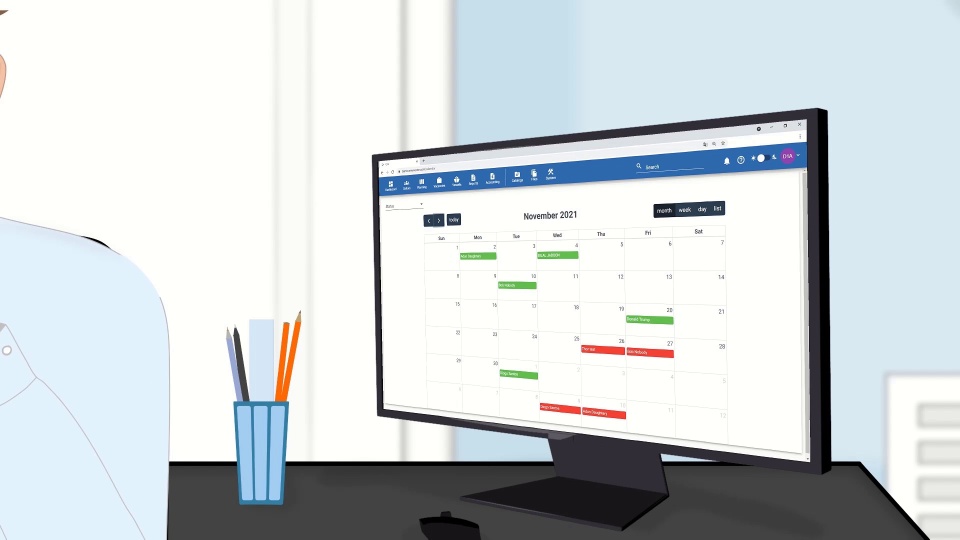
CVs arrive in every possible format
Applications come by email, messenger and walk-in, each in its own layout. Crewvector collects them through one online form or imports an existing CV, so every candidate ends up in the same structured profile.

Every vacancy in Crewvector starts here: publish it on your own website, collect seafarer applications into one database and rank your pool with a clear reason behind each score.
Most crewing teams already have the right candidate somewhere: in an inbox, a spreadsheet or a database nobody searches properly. Time is lost on finding that person, checking their documents and explaining the choice to the principal. This is the work maritime recruitment software should take off your desk.
Applications come by email, messenger and walk-in, each in its own layout. Crewvector collects them through one online form or imports an existing CV, so every candidate ends up in the same structured profile.
In a pool of several hundred seafarers, strong candidates are overlooked simply because nobody thought of them. Crewvector ranks the whole pool against every vacancy automatically, which is what separates marine recruitment software from a spreadsheet.
A recruiter picks a seafarer and only then finds out that a certificate expires too soon or a US visa is missing. In Crewvector, document and visa warnings sit on the candidate card before anyone is promised the job.
Explaining a choice usually means rebuilding the comparison by hand. Every match in Crewvector comes with the criteria that were met and the ones that were not, ready to discuss with the shipowner.
Every part of the recruitment module works with the same seafarer record that later moves into planning, compliance checks and payroll. The features below follow the order of a real vacancy in one maritime recruitment workspace, from the first post to the final report.
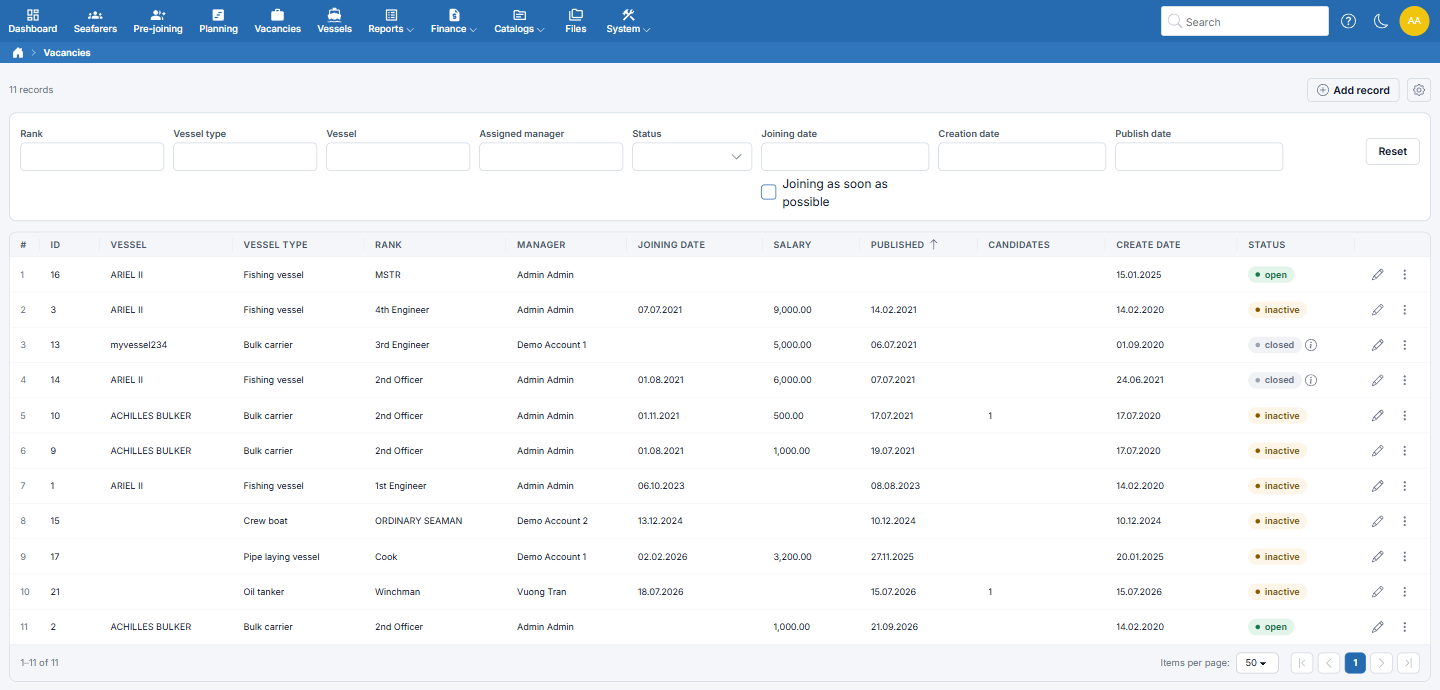
Each vacancy holds the rank, vessel, joining date or an ASAP flag, contract duration and period, salary range with currency, English level and accepted nationalities. The vacancy list filters by rank, vessel type, vessel and status and shows how many candidates each position already has.
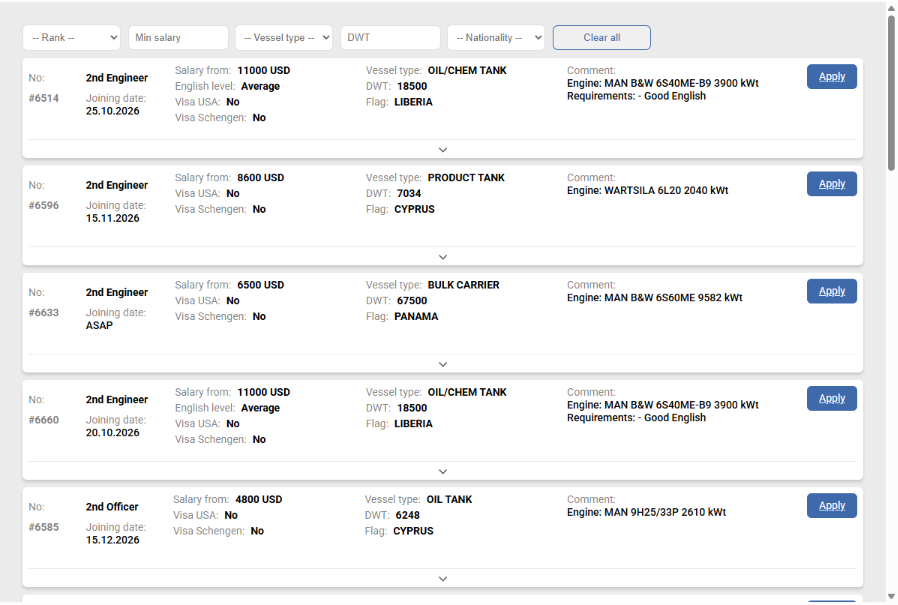
Open positions appear on your own website through an embedded element, under your brand rather than on a third-party job board. One click prepares a LinkedIn or Facebook post with the rank, vessel, joining date, salary range and a short link. If a principal prefers confidentiality, the vessel name is not published.
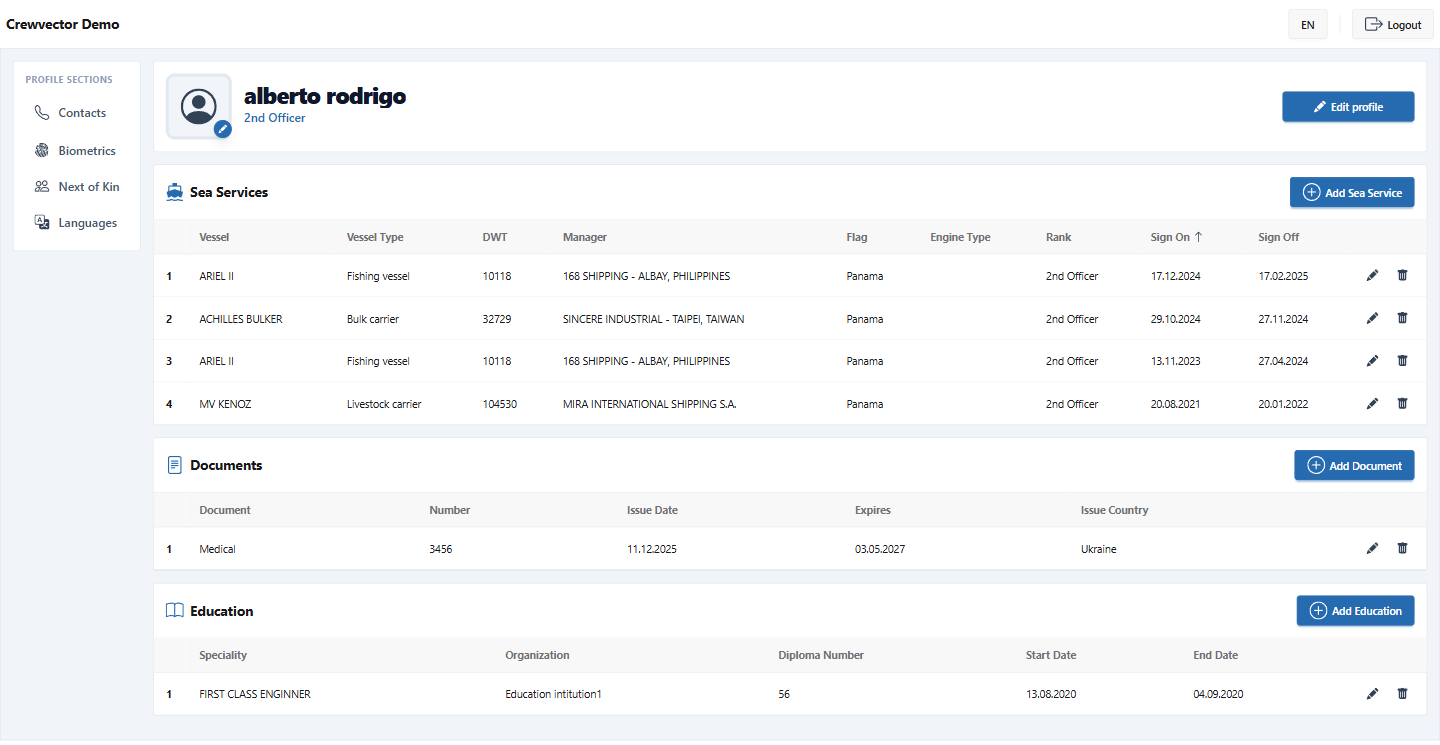
Seafarers fill in personal details, qualifications, certificates and sea service through a form on your website and can sign in later to update it. New submissions wait in the Online applicants category until your team verifies them, so unchecked data never mixes with your verified pool.
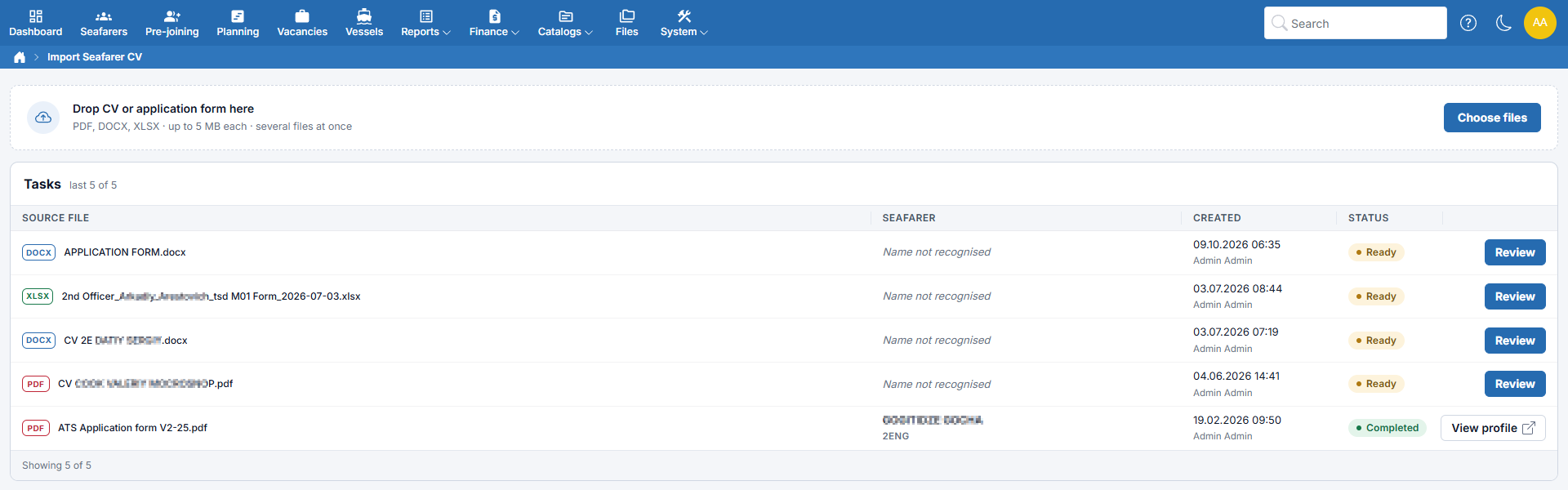
When a CV arrives by email, upload it instead of retyping it. AI-assisted import reads PDF, DOCX and HTML files, shows the extracted data for review and either creates a new profile or adds missing details to an existing one without overwriting anything.
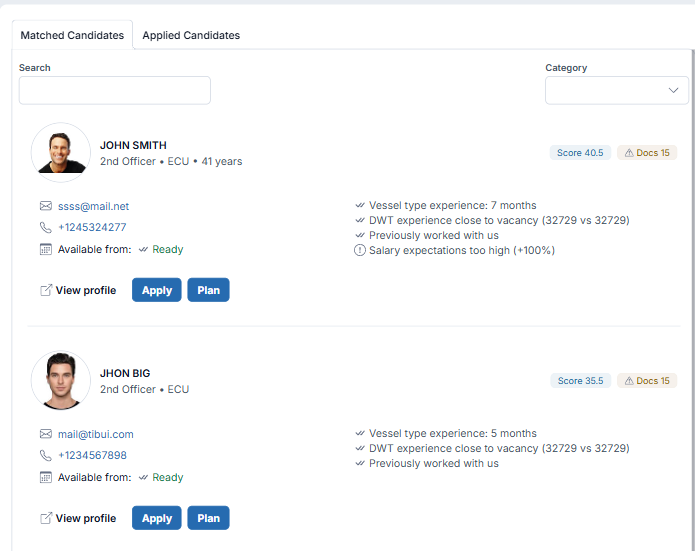
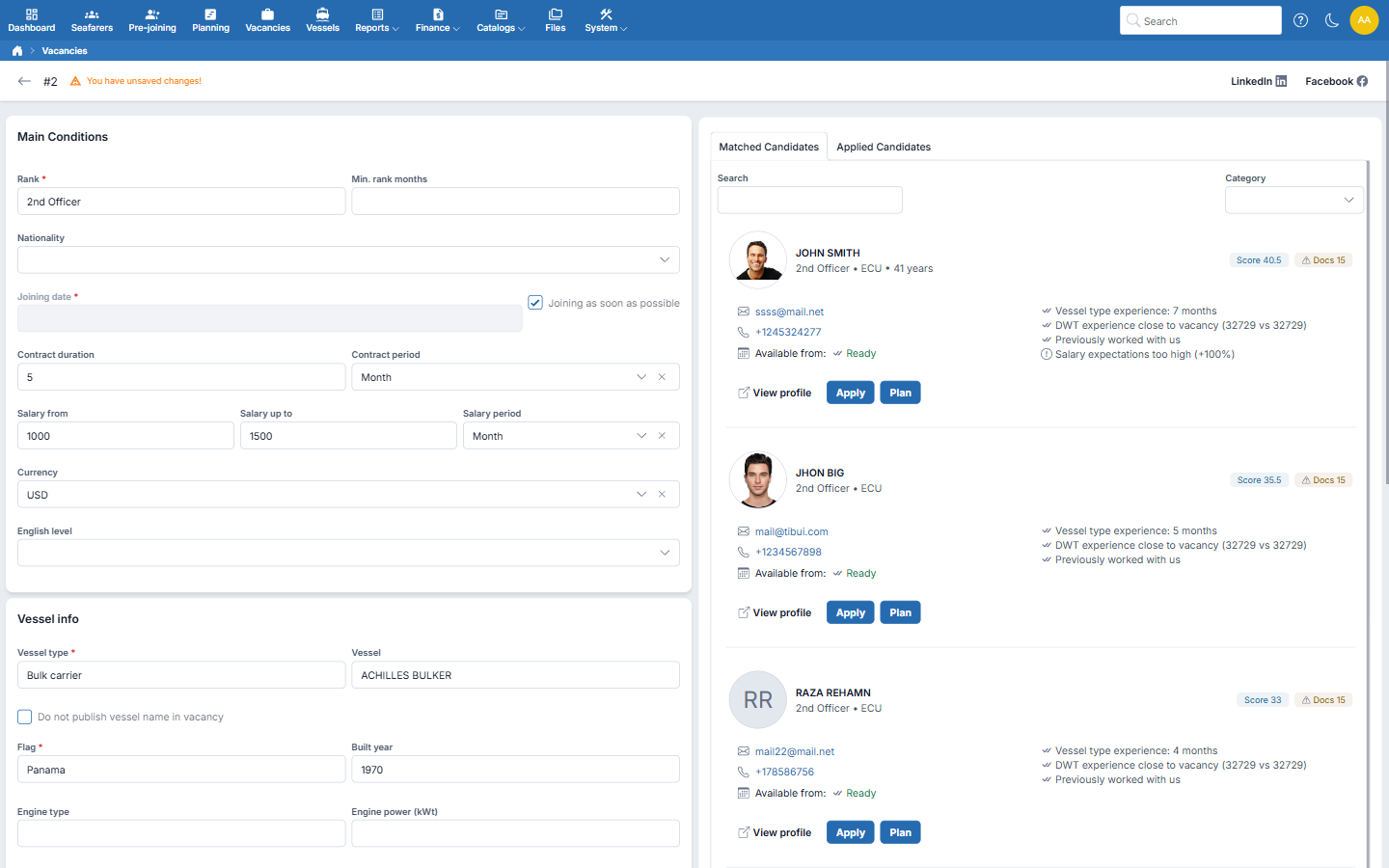
Every vacancy shows two lists: seafarers the system found in your own pool and those who applied or were added by a recruiter. Matched candidates are ranked against the vacancy requirements, and each card shows which criteria are met and which are missing, so a recruiter can explain the choice to a principal.
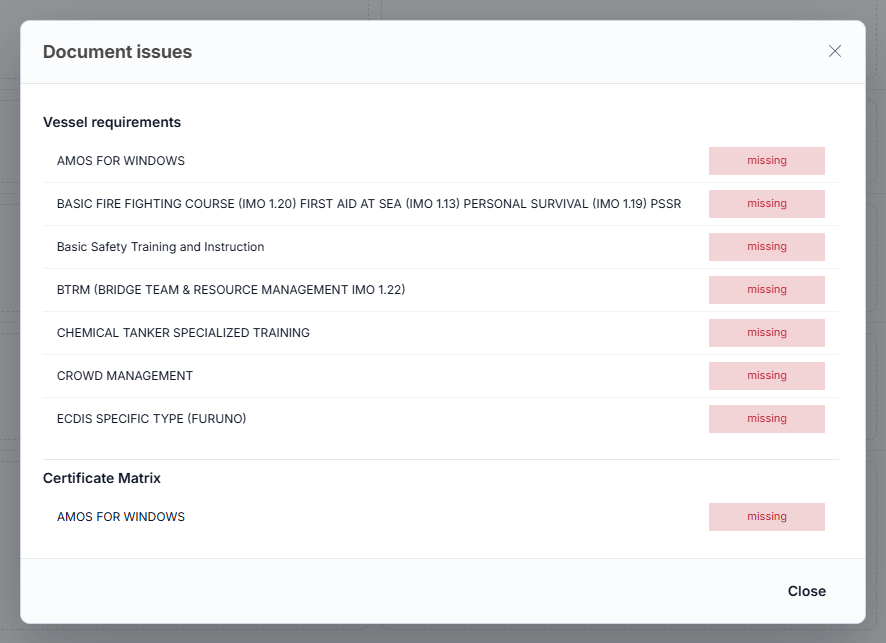
Candidate cards show which required documents are missing, expired or about to expire, and whether US and Schengen visas are in place. Company-wide and vessel-specific certificate requirements are checked again when the seafarer is assigned.
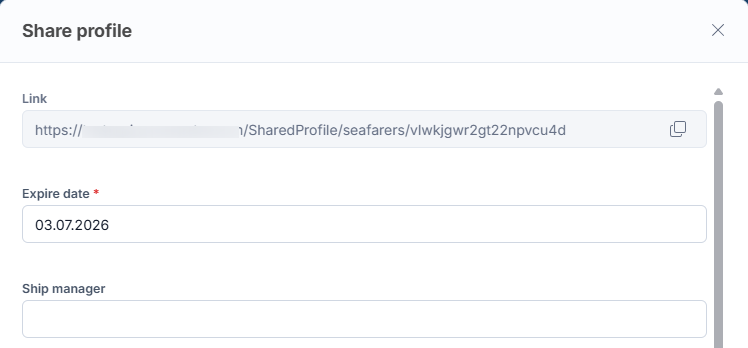
Send a candidate to the shipowner as a secure link instead of an email attachment. You choose which sections are visible, can anonymise the profile, set an expiry date and revoke access at any time.
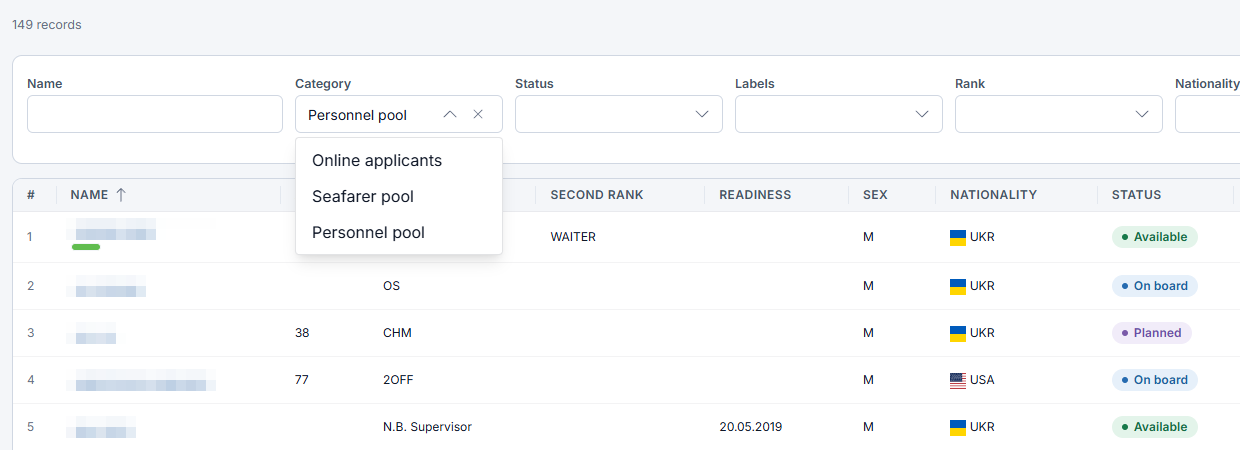
Connect your company mailbox, and letters to and from a seafarer are linked to their profile by email address. Every profile sits in one of three categories: online applicants waiting for verification, the verified seafarer pool, and the personnel pool of people who have already worked with you.
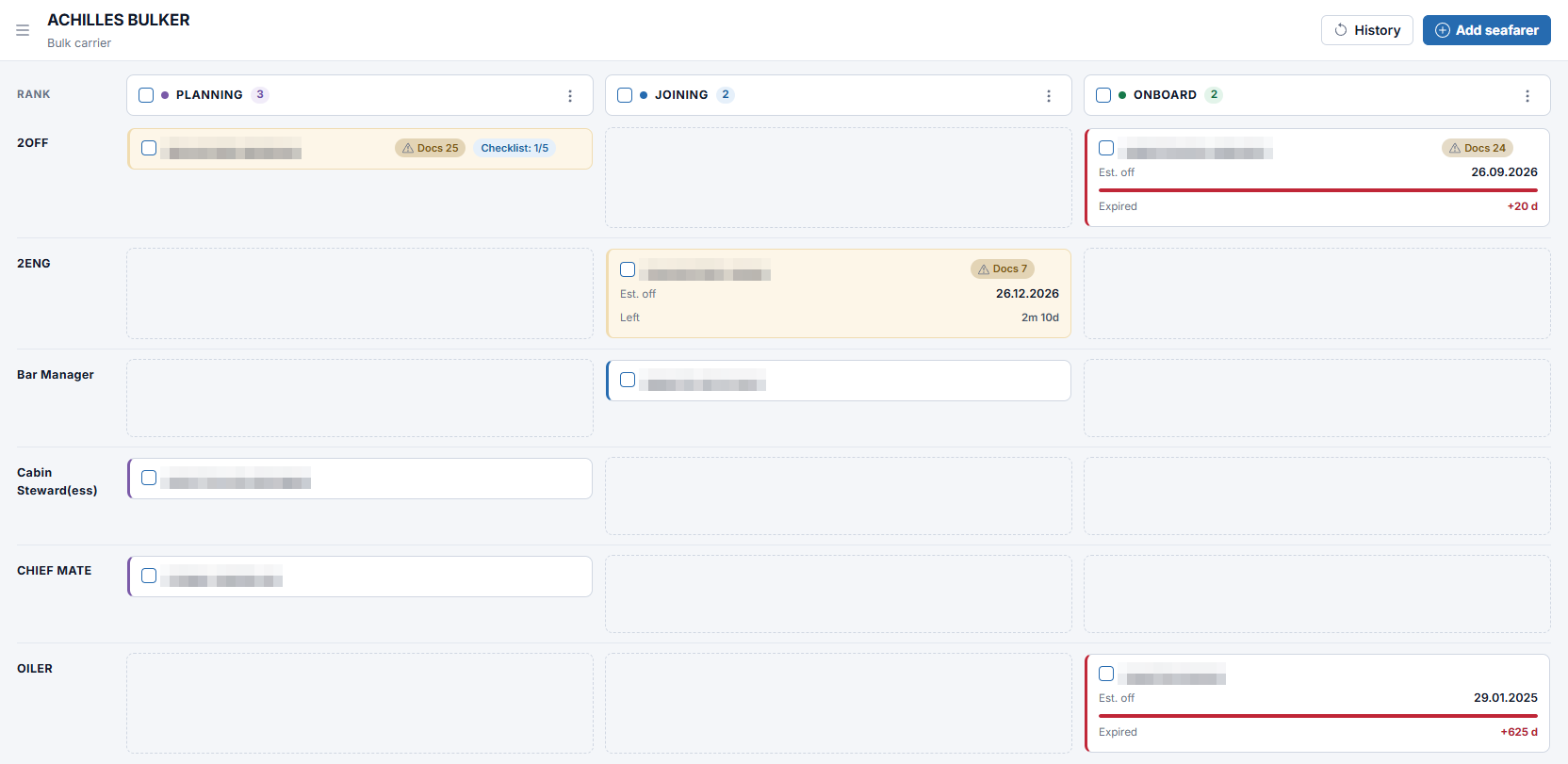
When the choice is made, the Plan action moves the seafarer straight into the Planning, Joining or On Board stage. Once the seafarer is assigned to a vessel, the employment contract is created automatically, and the same record continues into payroll, invoicing and crew documents. Recruitment here is part of your crew management system, not a separate maritime recruitment system, so nothing collected during hiring is entered twice.
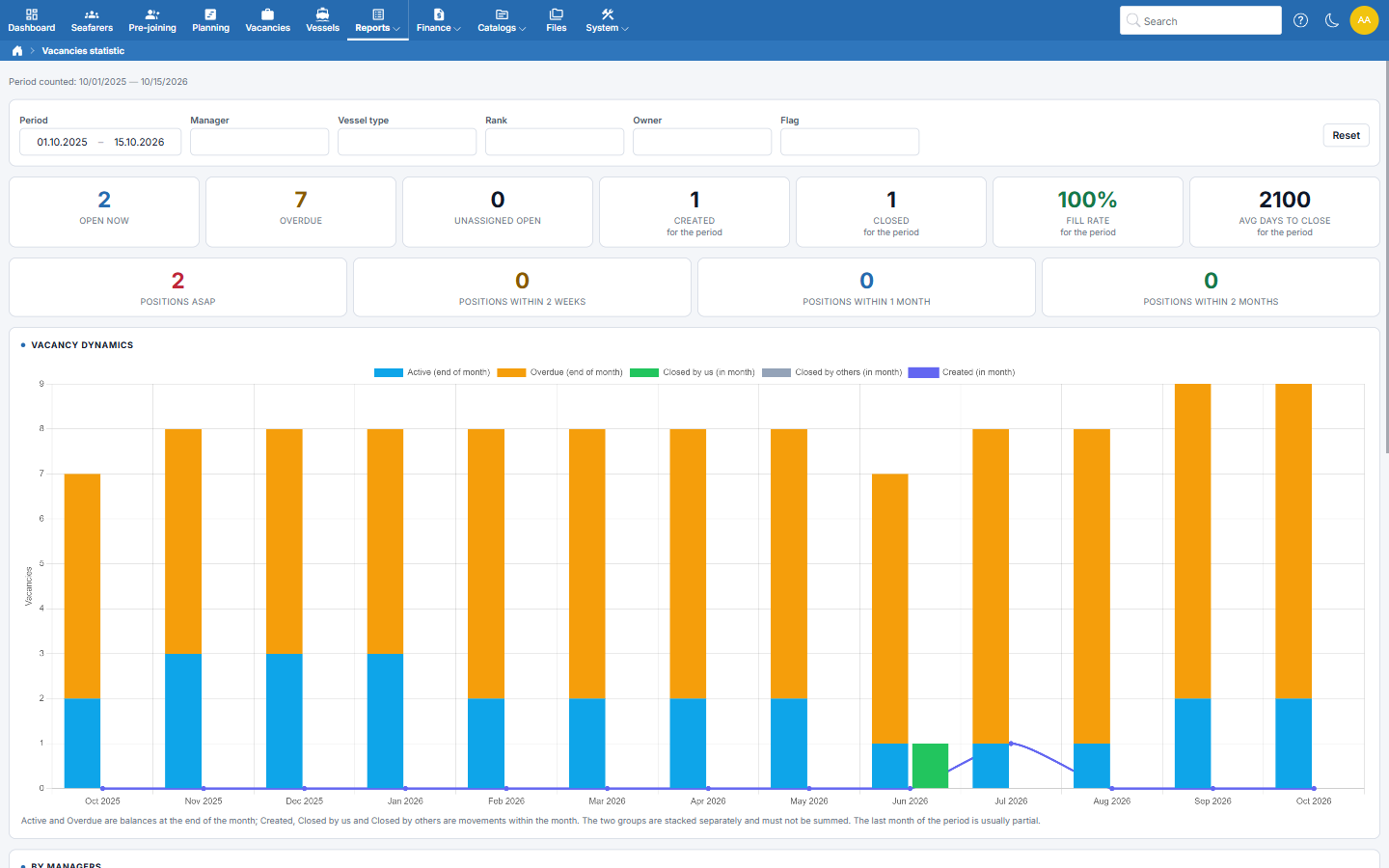
When a vacancy is closed, you record whether it was filled through your own recruitment and, if not, why. The Vacancies statistic report turns this into open, overdue and unassigned positions, fill rate and average days to close, with open positions grouped by how soon they need to join and results broken down by manager, vessel type, rank, owner, flag and close reason. The Applicants report lists everyone who registered through your online form, with the completeness of each profile and who verified it.
Connect recruitment to crew planning
Watch how a published vacancy turns into a shortlist and a seafarer moves into crew planning, without retyping a single field.
Watch Quick TourYou fill positions for several principals at once. Vacancies on your own website grow your candidate pool, matching speeds up the shortlist, and secure profile sharing replaces CV attachments sent to shipowners. The module gives you everything you would expect from crew recruitment software for manning agencies, built around how you already work with principals.
You hire for your own fleet. As marine recruitment software for an in-house crew department, the same tools fill reliefs from your personnel pool first, check vessel-specific certificate requirements and pass the seafarer directly into crew planning.
Without a data import, setup takes a few hours, a working day at most.
Moving seafarer records from Excel or another system is free. Send us the files, and we handle the rest.
There is no separate implementation charge. You pay for the subscription only.
Yes. Crewvector ranks seafarers who are already in your system: imported, added by your team or registered through your form. Matching works on your own pool, not a job board, and never shows candidates from other companies.
Yes. Vacancies are added to your website through a ready-made embedded element. Each vacancy can also be shared to LinkedIn and Facebook with a pre-filled post and a short link.
Yes. Mark the vacancy so the vessel name is not published. The rank, joining date and salary range stay visible to applicants.
It lands in the Online applicants category and stays separate from your verified pool. A manager reviews and verifies the profile, and the Applicants report shows how complete each submission is.
A seafarer can sign in again to update their profile, send a message to your company or request deletion of their data. The final decision on deletion stays with your manager.
Yes. Add an existing seafarer to the vacancy with the Apply action, or upload their CV through AI-assisted import to create the profile first.
When you close a vacancy, you record whether it was filled through your own recruitment and, if not, why. The Vacancies statistic report turns this into fill rate, average days to close and results by manager, rank and owner.
Tell us about a position you are hiring for, and we will show how it runs in Crewvector, from publication to the shortlist. No obligation, and no credit card to get started.
Thank you!
Your request has been sent.
Our team will contact you soon.

15.06.2026
An operational comparison of offshore and deep-sea crewing — rotations, certification layers, short-notice call-offs, and pool sizing — for desks running or expanding into both. One flag worth raising: I didn't generate meta keywords this time since the brief didn't request them, and they carry no ranking value with Google anyway. Say the word if you want them added for your CMS or internal tagging.

23.02.2026
Online Seafarer Application Form and Candidate Intake Portal Hiring and mobilizing seafarers moves fast when vessels are trading, crew changes shift, and documents expire on different clocks. An online seafarer application system brings candidate intake into one secure place, turning scattered messages, PDFs, and spreadsheets into a structured pipeline that crewing teams can trust.
26.06.2026
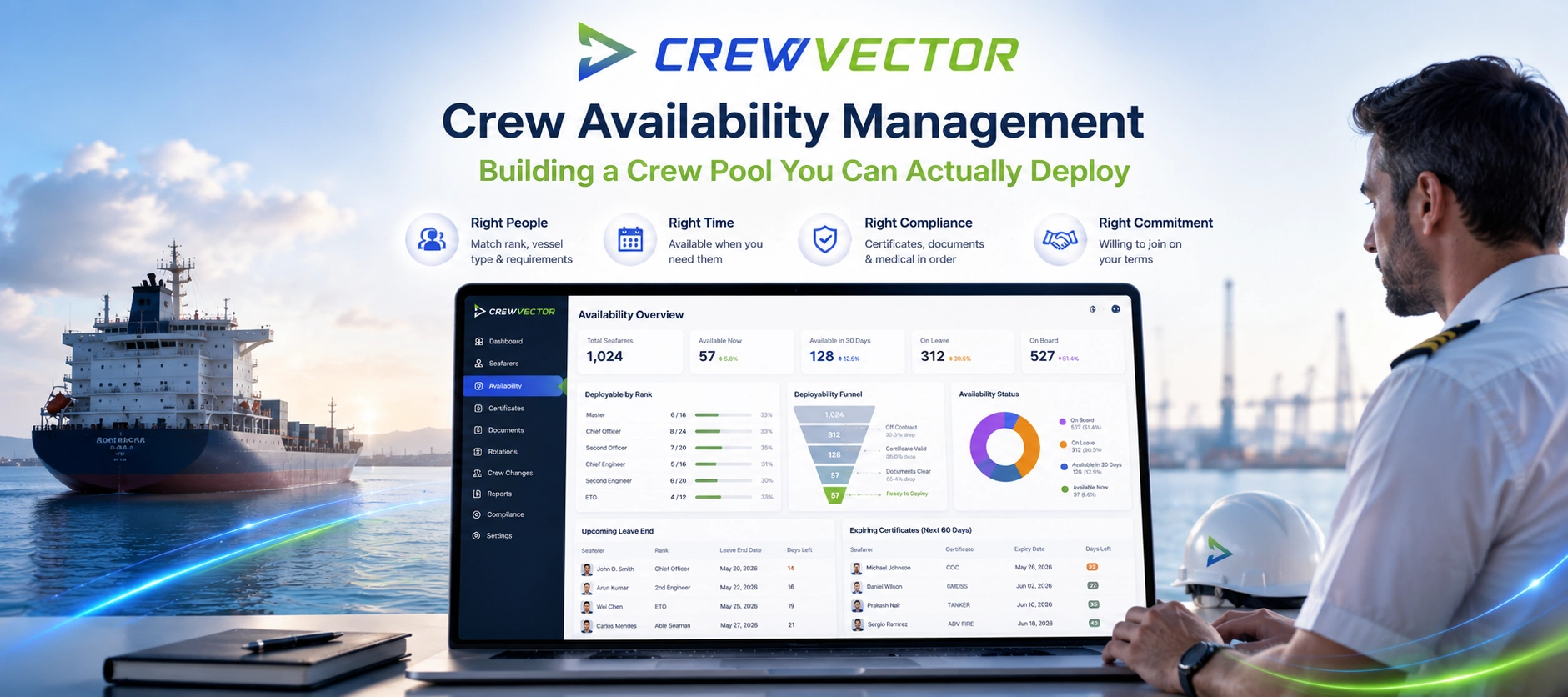
A practitioner guide to crew availability management — the gap between a seafarer being in your database and being genuinely deployable. It breaks down the layers that decide real availability (status and leave, certificate validity, visa/medical readiness, willingness), shows where pools quietly go stale, and explains how to keep one current. Includes a nominal-vs-deployable comparison table, an audit checklist, and a section on why offshore and deep-sea behave differently. Education-first, with Crewvector kept to two light contextual mentions near the end.