Visual Vessel Schedules
Planners review voyage assignments across vessels on a Gantt timeline and enter sign-on, estimated sign-off, and actual sign-off information.

Crew planners use a Gantt-style schedule to review assignments across vessels and manage each seafarer through Planning, Joining, and On Board. The same workspace shows sign-on and sign-off information, document readiness warnings, and pre-joining checklist progress.
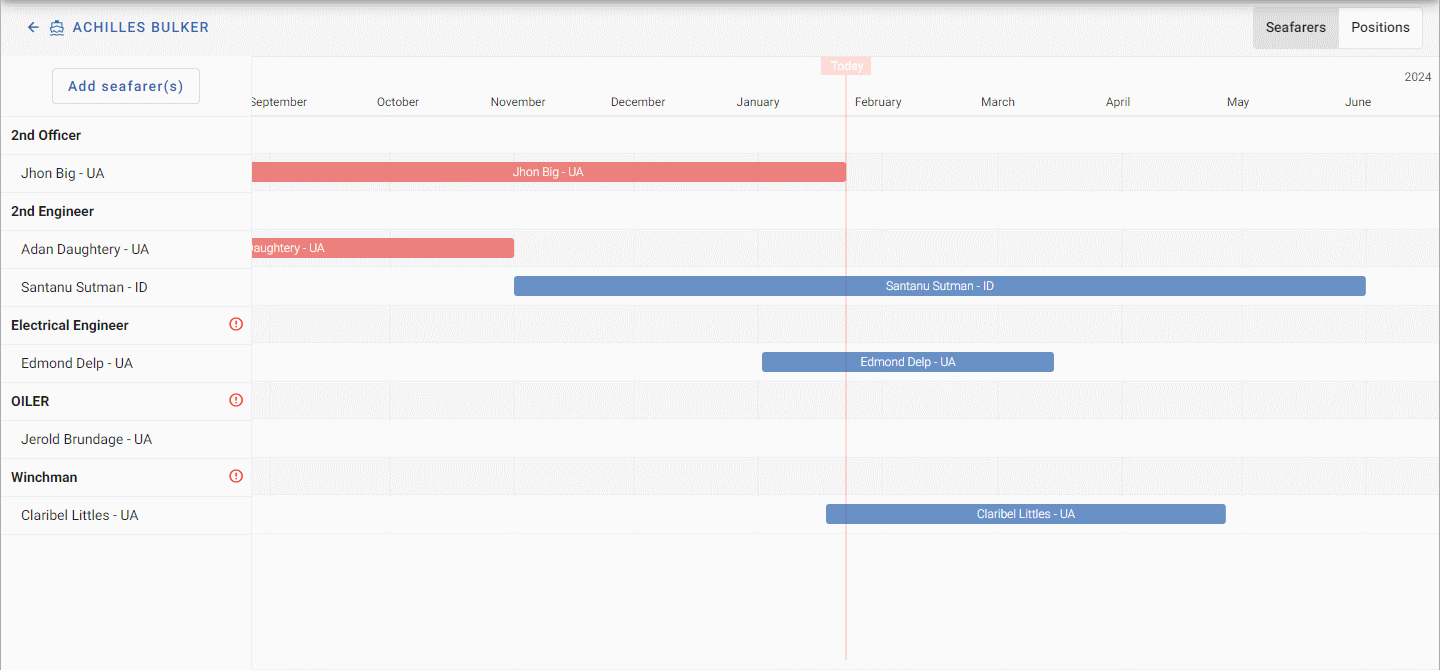
Planners review voyage assignments across vessels on a Gantt timeline and enter sign-on, estimated sign-off, and actual sign-off information.

Users place and move seafarers through Planning, Joining, and On Board so the board reflects the current preparation and assignment status.

Each assignment card can show company and vessel requirement warnings together with completed and outstanding pre-joining checklist items.
Create and review crew assignments across vessels on a visual timeline. Planners can see voyage periods, sign-on dates, estimated sign-off dates, and actual sign-off dates, then update the plan as operational information changes.
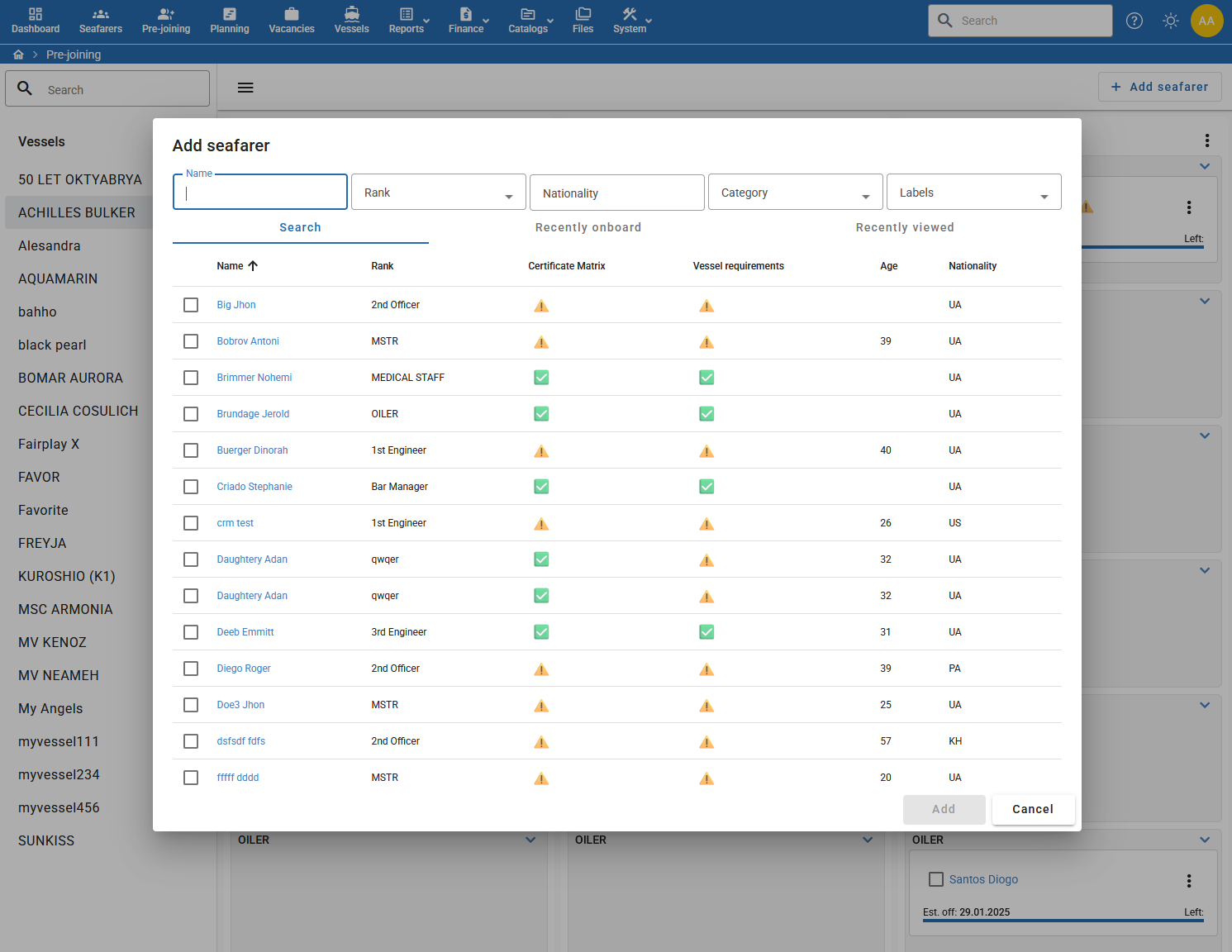
A planner adds a seafarer to a vessel and chooses the appropriate stage. Cards can then be moved from consideration in Planning, through preparation in Joining, to an active On Board assignment. Candidate matching remains in the Vacancies module; assignments are made by the user.
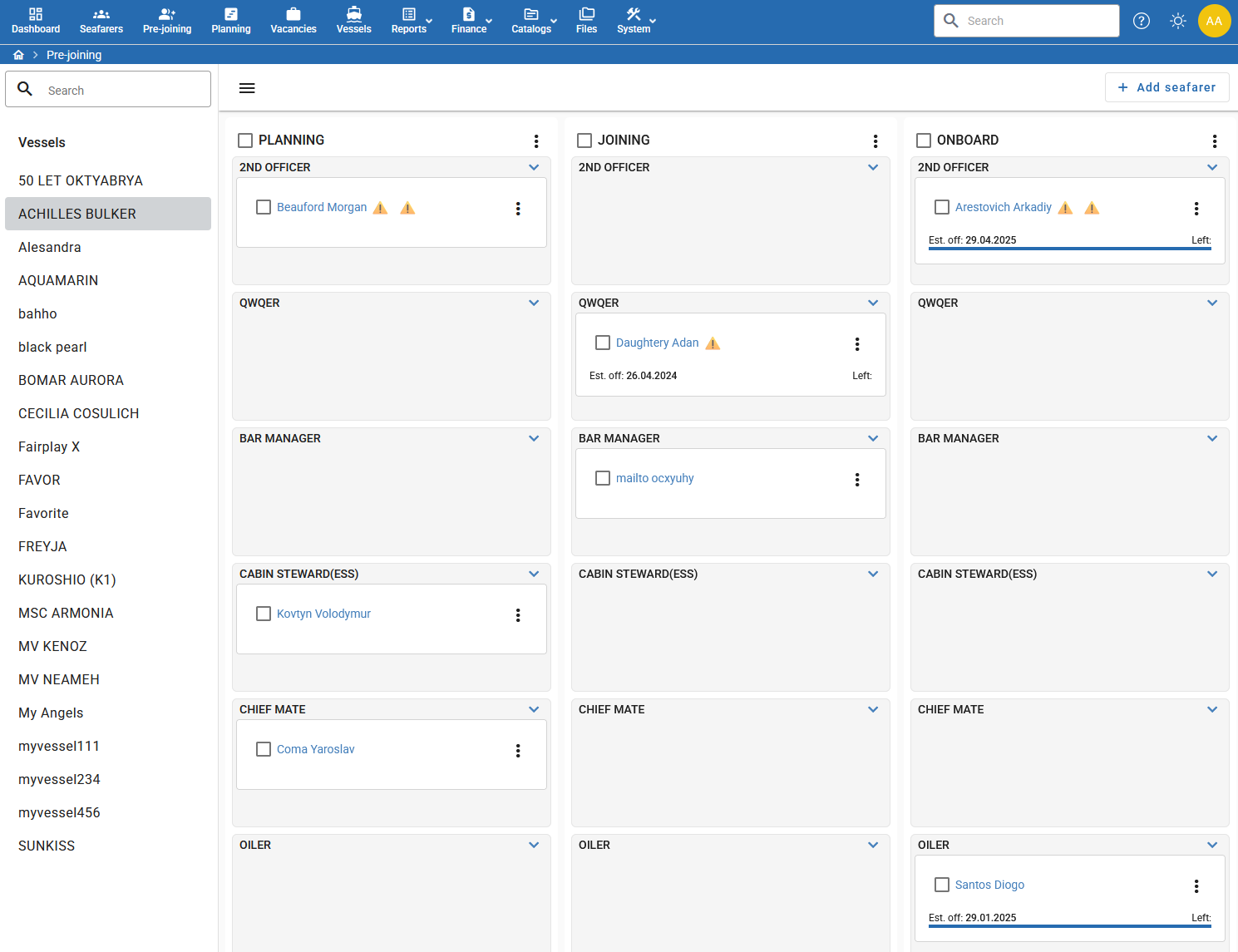
Crewvector checks the seafarer's available and valid documents against the company-wide certificate matrix and the vessel-specific matrix. A warning on the assignment card opens the list of missing or invalid requirements, including rules for minimum document validity at embarkation.
Managers create reusable checklist templates, assign one from a seafarer's Planning card, and mark individual preparation tasks complete. The card displays progress as completed items over total items, making unfinished work visible before embarkation.
Users select the relevant assignments to prepare Crew Lists, Letters of Guarantee, and Preliminary reports. The Crew Change report separates on-signers, off-signers, and continuing crew and includes planned and actual sign-off information.
See how Crewvector connects user-managed vessel assignments with document requirements, checklist progress, and crew change reporting.

23.11.2026
How long STCW certificates are valid, which ones need renewal every 5 years, and how crewing teams track expiries across a large roster.
20.11.2026
MLC 2006 sets minimum working and living standards for seafarers. What it covers, which ships it applies to and what crewing companies should keep on record.
18.11.2026
What PEME means, what a pre-employment medical examination for seafarers covers, who pays, what it costs and how crewing teams manage it.